Blog
Digital PhilSys ID registration: a step-by-step guide to get your National ID

It’s a common problem. You need a valid ID to get another valid ID, or to get something else done. It can feel even more frustrating when the ID you’re waiting for takes time to arrive, like the National ID. Delays like this can make it harder to move forward with your bank application, job hunt, or claiming government documents.
The good news is that if you are already registered under PhilSys (Philippine Identification System), you may be able to access your Digital National ID on your phone while you wait for the physical card. If you need an official printed format, there is also the ePhilID, which PhilSys describes as the National ID in paper format.
This guide explains what a PhilSys ID is, how PhilSys registration works now, how to access your Digital National ID, when the ePhilID matters, and how verification usually works in real life. It also clears up a few common misunderstandings, especially around online registration, printing, and fake links.
What is a PhilSys ID?
A PhilSys ID is the Philippines’ National ID under the Philippine Identification System, or PhilSys. In everyday use, many people simply call it the National ID.
When people talk about the National ID, they may be referring to different formats, including:
PhilID for the physical National ID
ePhilID for the paper-based digital version of the National ID claimed at designated PhilSys registration centers, allowing you to use it for government or private transactions while you wait for the PhilID to arrive
Digital National ID for the version you access through the eGovPH app
These are not separate IDs. They are different formats of the same National ID. When people say digital PhilSys ID, they are usually referring to the Digital National ID that you can access online and present on your phone. PhilSys says you can access it through the official portal or through the eGovPH app.
One important reminder: you should not print the Digital National ID yourself or turn it into your own plastic card. Only the Philippine Statistics Authority (PSA) is authorized to print and issue the National ID, and printing it on PVC or plastic cards is prohibited.
PhilSys registration: how to apply for a PhilSys ID
You may still see terms like PhilSys online registration or PhilSys ID online registration in older search results. This is actually outdated now.
PSA closed the old online Step 1 pre-registration portal and now fully requires walk-in PhilSys registration nationwide as of 23 February 2023. So if you want to register now, the process begins at a registration center, not through an active online Step 1 form.
Step 1: Prepare the requirements for a PhilSys ID
Before you go, check the official list of supporting documents for the PhilSys ID. PhilSys accepts primary and secondary supporting documents, and the official PhilSys pages are the safest place to verify what you should bring to the registration center.
Step 2: Go to a PhilSys registration center
According to PhilSys, you can register at PSA regional and provincial offices, mall-based registration centers, and LGU-based registration centers. PSA also runs mobile registration in some areas from time to time. So, if you are searching PhilSys ID registration near me or where to get a PhilSys ID, you can refer to the official list of PSA registration centers.
Step 3: Complete validation and biometrics process, and get your transaction reference number (TRN)
At the registration center, provide your personal details for validation and your biometric information for capture.
After registration, you will be issued a transaction slip with your transaction reference number, or TRN, so remember to keep it safe. PhilSys says the TRN can be used to track your National ID delivery or claim your ePhilID at a PhilSys registration center when you receive an official SMS notification. Keeping this small paper slip can save you time later, so treat it like an important document.
How to get a PhilSys ID online after registration
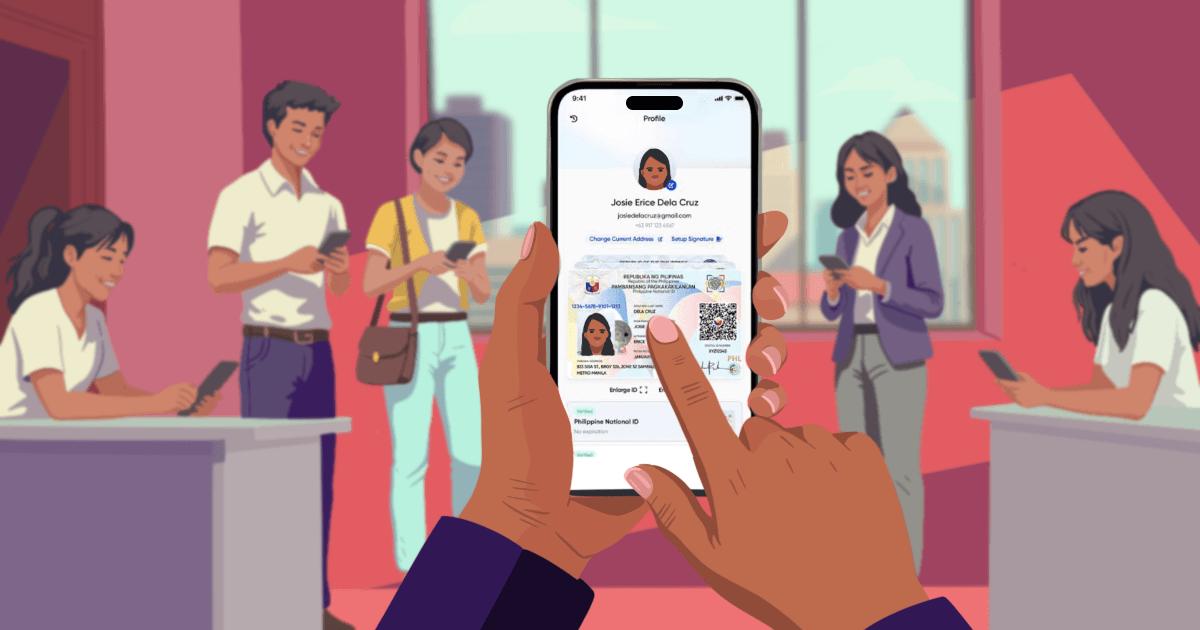
Once you are registered, you can now access your Digital National ID online. PhilSys says there are two official ways for you to access your Digital National ID:
the eGovPH app, available on Google Play and the App Store, which is now the primary method recommended by PSA
the National ID website, which remains available as a web alternative
Both channels require identity verification, such as facial authentication, before your Digital National ID becomes available.
Some older guides mention the ePhilID portal. This portal is tied to the paper-based ePhilID and is no longer the main way to access a Digital National ID. For digital access, use the eGovPH app or the National ID website.
Here’s what you need to do:
Open the National ID website or the eGovPH app
Enter the necessary details
Complete the facial authentication step
Access your Digital National ID and download it to your phone
This is the simplest way to access your National ID digitally while waiting for the physical card. To keep your information safe, use only official channels and avoid links sent through unofficial messages or chats.
If you need the National ID in paper format
This is where you should get an ePhilID, which is not the same as printing the Digital National ID yourself. It is the official National ID in paper format. PSA says registered persons can check ePhilID availability through the ePhilID Appointment System and may also receive a secure link through an official PSA text message for ePhilID download.
If you need an official paper format, use the ePhilID route through PhilSys and PSA, not a self-made printout of the Digital National ID.
Important reminder about printing your Digital National ID
Printing the Digital National ID on PVC or plastic cards is prohibited, and those printed versions should not be accepted as proof of identity and age in transactions. PhilSys also says only PSA is authorized to print and issue the National ID.
So, if an establishment says it needs a printed format, the safer next step is not to print the Digital National ID yourself. The safer next step is to request the official paper format through PhilSys or PSA channels.
PhilSys ID verification: how to verify your National ID
Verification depends on the format you are presenting.
For PhilID or ePhilID
For your PhilID or ePhilID, your identity is verified through PhilSys Check, the official online verification system.
When you present your ID at a government office, the staff verifying your identity will scan the QR code printed on it using the PhilSys Check website. The system will then display your basic details, such as your name, sex, date of birth, and place of birth.
Your ID will be considered valid if:
The system confirms that the QR code is authentic
The information shown on screen matches the details printed on your ID
If the QR code cannot be read or is flagged as invalid or deactivated, your ID may not pass verification.
For Digital National ID
If you are using your Digital National ID, verification is done through the National ID eVerifyplatform. This includes National ID Check, the QR-based verification feature available through the National ID Check page, while the full National ID eVerify platform supports additional authentication, including biometric verification.
The staff member or institution you are transacting with, such as a government agency or accredited private company, will use this system to check your identity.
Your Digital National ID is considered valid if the details shown by the system match the information on your ID.
PhilSys ID number: what is a PhilSys number and where do you find it?
A lot of people search PhilSys ID number or ask, what is a PhilSys number?PhilSys explains that there are two different numbers after you receive your ID:
The PhilSys Number (PSN) is the unique 12-digit permanent number assigned after successful registration. It is highly confidential.
The PhilSys Card Number (PCN) is the public version used for transactions and printed on the PhilID.
If you are searching PhilSys number where to find, the safest explanation is this: the PCN is the public number you use in transactions, while the PSN is the more sensitive number that you should keep private unless required by law or a legitimate process.

Common issues with the PhilSys ID and what to do next
Your Digital National ID is not available yet
This can happen if your record is not yet ready for digital access. If that happens, try again later using the official portal or the eGovPH app. Use only official links and official channels while you wait.
Your facial verification keeps failing
Try again in good lighting, hold your device steady, and follow the on-screen prompts carefully. If it still does not work, try another device and try again later. PhilSys Check also notes that device quality, camera settings, and lighting can affect successful scanning and verification.
Someone offers to “help” you download or update your National ID
PSA warns the public against scams that offer help with registration, printing, correcting details, or downloading the Digital National ID through suspicious links, messages, video calls, or payment requests. If you see something like that, stop there and go back to the official PhilSys or PSA channels.
When you have your National ID, you can start exploring financial options with Salmon, from savings, checking, and time deposit accounts with Salmon Bank (Rural Bank) to flexibleoptions like a Salmon Product Loan or Credit Line, depending on what you need.
Ready to take the next step? Use your National ID to get started with your Salmon or Salmon Bank (Rural Bank) application. Apply now
Frequently asked questions (FAQs)
I want to apply for a PhilSys ID. How do I start?
You can start by checking the official list of supporting documents. Then, go to a PhilSys registration center for walk-in registration. PSA has already closed the old online portal, so you do not need to pre-register online before you go.
I want to get a PhilSys ID online. Can I complete the whole process online?
You cannot complete the full registration process online because PhilSys still requires in-person document validation and biometrics capture at a registration center. After you are registered, that is when you can access your Digital National ID online or through the eGovPH app.
I want a printed National ID. Can I print my Digital National ID?
You should not print the Digital National ID on PVC or plastic. PhilSys says that is prohibited. If you need an official printed format, you should request the ePhilID, which is the digital National ID printed in paper format.
I want to know where to get a PhilSys ID. Where do I go?
You can go to an official PhilSys registration center. PhilSys lists PSA offices, mall-based registration centers, and LGU-based centers, and it also runs mobile registration in some areas.
I want to get my Digital National ID. How do I access it?
You can access it through the official portal or through the eGovPH app after your registration is already on record. Use only official channels, and avoid anyone asking for personal information through chat or unofficial links.
I want to use my National ID for a bank transaction. What should I keep in mind?
Before you go to the bank, it helps to check what type of National ID they accept. Some may accept the Digital National ID or ePhilID, while others may still require the PhilID (plastic card).
If they need to check your ID, the staff will usually scan the QR code using an official tool:
For the Digital National ID, they use National ID Check, which confirms your identity in real time
For the PhilID and ePhilID, they use PhilSys Check, which matches your details with official records
In most cases, you just need to show your ID, and they will handle the rest. If you’re unsure, it’s a good idea to confirm the accepted format with the bank first so you can bring the right type of ID.
24.03.2026